
Surfshark Review (2026): Is It the Best Value VPN?
Surfshark has become one of the most recommended VPNs in the “best value” category—and it’s not hard to see why. It’s typically cheaper than premium competitors, it offers unlimited device connections, and it’s packed with features that used to be reserved for higher-priced VPNs. In a world where everyone has a phone, a laptop, a tablet, a TV streaming stick, and maybe a couple of kids with their own devices, “unlimited connections” is not a small perk—it can be the deciding factor.
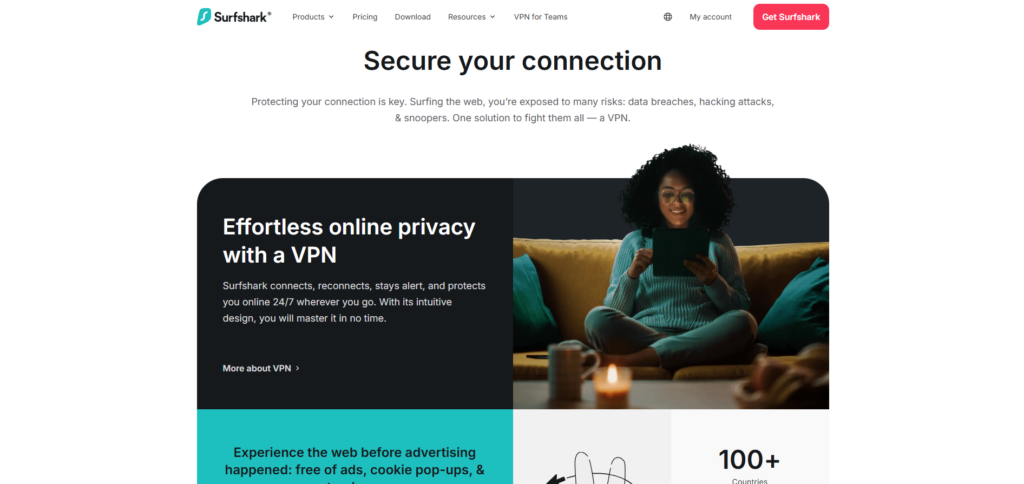
Table of Contents
- Surfshark Quick Verdict
- What Is Surfshark?
- Privacy & Logging Policy (The Part That Matters Most)
- Security Features & Encryption (What You’re Actually Getting)
- Speed & Performance (The Real-World Experience)
- Streaming Performance (One of Surfshark’s Strengths)
- Torrenting & P2P Use
- Apps, Devices & Ease of Use (The Unlimited Devices Advantage)
- Pricing & Value (Where Surfshark Wins)
- Pros & Cons (The Honest Summary)
- Surfshark Alternatives (And When to Choose Them)
- Who Is Surfshark Best For?
- Who Might Want Something Else?
- Final Verdict: Should You Buy Surfshark in 2026?
But a VPN isn’t a subscription you buy for fun. You buy it because you’re handing a company a privileged role in your internet traffic. And that changes the question from “Is Surfshark cheap?” to something more serious:
Is Surfshark a trustworthy VPN in 2026—and does it actually deliver on privacy, speed, and streaming?
This Surfshark review focuses on what matters most: privacy and logging, security features, performance, streaming reliability, torrenting support, apps and usability, pricing and value, and who Surfshark is best (and not best) for. We’ll also compare it conceptually to NordVPN and other top competitors, because value only matters if the product is solid.
Surfshark Quick Verdict
Surfshark is one of the best value VPNs in 2026. It offers strong baseline privacy protections, a modern feature set, and reliably good performance across most everyday use cases—especially streaming and travel. The standout advantage remains its unlimited device connections, which makes Surfshark particularly attractive for families and multi-device households.
Surfshark may not have the same “premium polish” feel as some top-tier competitors, and its long-distance performance can be slightly less consistent depending on the server and time of day. But for most people, Surfshark hits the sweet spot: strong enough privacy, fast enough speeds, and a price that doesn’t sting—especially on longer plans.
If you want a VPN that covers your entire household without forcing you to count devices or pay extra, Surfshark is one of the smartest buys in 2026.
What Is Surfshark?
Surfshark is a VPN service launched in 2018. It grew quickly by positioning itself as an affordable, feature-rich alternative to higher-priced VPNs. Over the years, Surfshark expanded its server network, improved performance (especially with WireGuard), and added privacy features like MultiHop (double VPN), obfuscation tools, and tracker blocking.
Surfshark is now part of the same broader corporate group as NordVPN (Nord Security). That shared ownership is worth noting, but it doesn’t automatically mean the services are identical. In practice, Surfshark and NordVPN remain distinct products with different apps, pricing strategies, and feature priorities.
Surfshark’s core promise is simple:
- Make VPN privacy accessible (not “premium-only”)
- Keep the product easy enough for beginners
- Add practical security features that most people can actually use
- Offer unlimited device connections so one subscription covers everything
For most users, the question is not whether Surfshark has features. It does. The real questions are: does it protect privacy well enough, and does it perform reliably enough to be worth trusting?

Privacy & Logging Policy (The Part That Matters Most)
If you care about VPN privacy, you need to understand one uncomfortable truth:
A VPN shifts trust.
Without a VPN, your ISP and local network operators can see more of your internet activity. With a VPN, you reduce what they can see—but you’re now trusting the VPN provider to handle that traffic responsibly.
So privacy isn’t about slogans. It’s about policies, verification, and incentives.
Does Surfshark Keep Logs?
Surfshark advertises a no-logs policy. In practical terms, that means it claims not to collect or store:
- Your browsing history
- The contents of your traffic
- DNS requests tied to you
- IP addresses associated with your VPN sessions
No-logs claims are common in VPN marketing, so the next question is: is there evidence?
Surfshark has undergone independent audits that examined aspects of its security and privacy posture. Audits are not magical “guarantees,” but they are better than pure marketing claims. A reputable VPN should be willing to have its systems examined by third parties and publish public summaries.
What About Jurisdiction?
Surfshark is headquartered in the Netherlands. People often react strongly to jurisdiction because the Netherlands is part of intelligence-sharing alliances. But here’s the more useful way to think about it:
- Jurisdiction affects what authorities can request or compel
- Logging determines what the VPN actually has to give
If a VPN truly does not keep activity logs, then even a legal request has limited value. That’s why the most important privacy question remains: what does the VPN collect, and can it be tied back to you?
Surfshark’s policy and audits suggest it does not keep activity logs. For most everyday privacy needs—reducing ISP visibility, securing public Wi-Fi, masking your IP from websites—Surfshark’s privacy posture is more than strong enough.
A Practical Privacy Takeaway
Surfshark is not “mysteriously shady.” It is a mainstream VPN that has invested in privacy features and external validation. Is it perfect? No VPN is. But if you want a reasonable privacy baseline from a widely used provider, Surfshark checks the key boxes:
- Modern encryption and protocols
- No-logs stance
- Independent auditing
- Leak protections and kill switch options
- A business model that doesn’t depend on selling data
For typical users, Surfshark is a credible privacy tool.
Security Features & Encryption (What You’re Actually Getting)
Surfshark’s security is built on the fundamentals: encryption + protocols + leak prevention. On top of that, it includes extra features that can improve real-world privacy if you use them correctly.
Encryption & Protocols
Surfshark uses AES-256 encryption, the industry standard for secure VPNs. It supports:
- WireGuard (recommended for most users)
- OpenVPN (highly trusted, but typically slower)
- IKEv2/IPSec (stable option for mobile)
In 2026, WireGuard is usually the best default. It’s efficient, fast, and secure. For most people, using WireGuard is the difference between “VPN feels slow” and “VPN feels invisible.”
Kill Switch (Important)
A kill switch prevents your device from sending traffic outside the VPN tunnel if the VPN disconnects. Without a kill switch, a momentary drop can expose your real IP address and traffic—especially on unstable mobile networks.
If privacy is your reason for using a VPN, the kill switch is not a cute bonus feature. It’s essential. Surfshark includes this, and you should enable it if you’re serious about privacy.
CleanWeb (Tracker & Malware Blocking)
Surfshark’s CleanWeb is essentially a content filtering feature intended to:
- Block known malicious domains
- Reduce tracking requests
- Block some ads (results vary)
This isn’t a replacement for a strong browser-based ad blocker, but it can meaningfully improve your baseline protection. On mobile devices, where browser extensions are limited, CleanWeb can be especially useful.
MultiHop (Double VPN)
MultiHop routes your traffic through two VPN servers instead of one. The benefit is extra complexity for anyone trying to correlate your activity. The downside is reduced speed.
Most people don’t need MultiHop day-to-day. But it can be useful in higher-risk situations where you want more layers and can tolerate the performance tradeoff.
Camouflage Mode (Obfuscation)
Surfshark includes a feature often described as obfuscation: making VPN traffic look more like normal traffic. This is valuable in places where VPNs are restricted or actively blocked, or on networks that try to detect VPN usage.
If you travel frequently or use restrictive networks, this can be a real advantage.
Speed & Performance (The Real-World Experience)
Surfshark is generally fast—especially on nearby servers using WireGuard. For typical home use (browsing, streaming, video calls), it performs smoothly and rarely feels like it’s slowing you down.
That said, speed is not a single number. VPN speed depends on:
- Your base internet connection
- Your distance to the VPN server
- Server load (time of day matters)
- Protocol (WireGuard vs OpenVPN)
- Device performance (older phones/laptops can bottleneck)
What Surfshark Is Fast Enough For
For most users, Surfshark is absolutely fast enough for:
- HD and 4K streaming
- Video calls (Zoom, Meet, Teams)
- Social media, browsing, and general use
- File downloads and cloud backups
Where Surfshark Can Be Less Consistent
On long-distance connections (for example, connecting from the US to Asia or Europe), Surfshark can sometimes be slightly less consistent than premium competitors. This isn’t always a big deal, but it shows up as:
- More variation in download/upload speeds
- Occasional need to switch servers for better performance
- Slightly higher latency for real-time gaming
If you’re doing competitive gaming or need extremely stable long-distance connections all day, you may prefer a top-tier premium VPN. But for most people, Surfshark performs well enough that “speed” won’t be your reason to cancel.

Streaming Performance (One of Surfshark’s Strengths)
Streaming is one area where Surfshark typically punches above its price.
In 2026, Surfshark commonly works with major streaming platforms, including:
- Netflix (multiple regions)
- Disney+
- Hulu
- Amazon Prime Video
- BBC iPlayer
No VPN can guarantee perfect access forever because streaming services constantly update VPN detection. But Surfshark’s success rate is high enough to make it a reliable streaming VPN.
What to Do If Streaming Doesn’t Work
If you get a proxy or VPN error, try this sequence:
- Switch to another server in the same country
- Clear cookies/cache or use a fresh browser profile
- Try a different protocol (WireGuard ↔ OpenVPN)
- Restart the app/device
Most streaming issues are solved by server switching and cookie clearing. And the cookie thing matters more than people think: streaming services often store detection signals in browser data.
If streaming is a top priority and you want the best chance of it “just working,” Surfshark is a strong pick—especially considering the price.
Torrenting & P2P Use
Surfshark allows torrenting and supports P2P traffic. Unlike some VPNs that restrict torrents to specific servers, Surfshark generally supports P2P broadly.
For torrenting, the key considerations are:
- No activity logging
- Kill switch enabled
- Leak protection working
- Reliable speeds on P2P traffic
Surfshark checks these boxes, making it a good option for users who occasionally torrent. For very heavy P2P users, you’ll still want to prioritize stability and consistently fast servers, but Surfshark is more than adequate for typical use.
Apps, Devices & Ease of Use (The Unlimited Devices Advantage)
This is Surfshark’s signature feature: unlimited device connections.
Most VPNs limit you to 5–10 devices at a time. That sounds fine until you count:
- Your phone
- Your laptop
- Your tablet
- Your spouse’s phone and laptop
- Your kids’ phones/tablets/laptops
- A smart TV or streaming stick
- A spare travel phone
- A home desktop
Suddenly the “device limit” becomes annoying.
Surfshark solves that cleanly. One subscription can cover the entire household.
App Support
Surfshark offers apps for:
- Windows
- macOS
- iOS
- Android
- Linux
- Smart TVs and streaming devices
The UI is simple enough for beginners and includes advanced settings for power users. Setup is generally quick: download the app, sign in, and connect.
Usability: What It Feels Like Day-to-Day
Most people don’t want to “manage” a VPN. They want it running quietly in the background. Surfshark does a good job here. It’s easy to:
- auto-connect on startup
- choose the fastest server automatically
- switch countries for travel/streaming
- enable kill switch and protection features
If you’re managing a family’s worth of devices, Surfshark’s simplicity becomes a real advantage.

Pricing & Value (Where Surfshark Wins)
Surfshark’s value proposition is straightforward:
- It’s usually cheaper than premium VPNs on long-term plans
- It includes nearly all the features most people need
- It allows unlimited devices, which increases practical value dramatically
Surfshark’s month-to-month pricing is typically not the best deal (this is common in the VPN market). The real value appears in longer plans. If you’re comfortable committing for a year or more, Surfshark often becomes one of the most cost-effective ways to protect multiple devices.
Surfshark also offers a 30-day money-back guarantee, which makes it possible to test without long-term risk.
If you’re building a VPN “stack” for a household, Surfshark can easily be the best value pick.
Pros & Cons (The Honest Summary)
Pros
- Unlimited simultaneous device connections
- Excellent long-term pricing
- Strong baseline privacy stance and audits
- Great streaming performance for the price
- Useful extras like CleanWeb and obfuscation
Cons
- Long-distance speeds can be less consistent than top-tier premium VPNs
- Not as “premium polished” in every detail as the most expensive competitors
- Some advanced features are unnecessary for casual users (but they don’t hurt)
Surfshark Alternatives (And When to Choose Them)
Surfshark is a great value pick, but it’s not the best choice for every scenario.
NordVPN
If you want slightly more consistent performance and a more premium “all-around best” experience, NordVPN is often the upgrade choice. It’s typically more expensive, but it’s widely considered top-tier.
ExpressVPN
ExpressVPN often appeals to users who prioritize simplicity and reliability over maximum features. It’s usually priced higher, so it’s less of a “value” play.
Proton VPN
If your number-one priority is privacy-first philosophy and you don’t care as much about streaming, Proton VPN can be compelling. Streaming reliability may be weaker depending on region and platform.
Who Is Surfshark Best For?
Surfshark is ideal for:
- Families and households with many devices
- Budget-conscious users who still want strong privacy features
- Travelers who use public Wi-Fi often
- Streamers who want broad access without paying top-tier prices
- People who want a simple VPN they can install everywhere and forget
If your life includes lots of devices—and you want one subscription to cover all of them—Surfshark’s unlimited connections alone can justify choosing it.
Who Might Want Something Else?
Surfshark might not be your best fit if:
- You need the most consistent long-distance speeds possible
- You want the longest, most established audit track record
- You prefer a more “premium” app experience and support ecosystem
- You’re doing latency-sensitive work where every millisecond matters
In those cases, it can be worth paying more for a top-tier competitor. But for most users, Surfshark is “more than good enough,” and the cost savings are real.
Final Verdict: Should You Buy Surfshark in 2026?
For most people, yes.
Surfshark delivers an excellent balance of price, privacy, and performance. It’s not perfect, but it consistently offers more than its price suggests—especially if you’re buying for a household or want protection across many devices without managing connection limits.
If you want a VPN that protects your privacy, works well for streaming, and covers every device you own without breaking the bank, Surfshark is one of the smartest VPN buys in 2026.
And if you’re torn between Surfshark and NordVPN, the decision often comes down to priorities:
- Choose Surfshark if you want the best value + unlimited devices
- Choose NordVPN if you want the most premium all-around performance
Either way, Surfshark absolutely earns its place among the top VPN recommendations in 2026.