Affiliate Disclosure: VPNexp.com is reader-supported. We may earn a commission if you purchase a VPN through links on our site. This does not affect our rankings or recommendations.
The Short Answer
Short answer: No, VPNs do NOT make you anonymous online — at least not in the way most people mean “anonymous.”
A VPN can significantly reduce how exposed you are online by masking your IP address and encrypting your internet traffic. That’s valuable. But it does not erase your digital identity, eliminate tracking entirely, or make you invisible to websites, platforms, or authorities.
The confusion comes from how loosely the word anonymous is used. Many people use it to mean more private, harder to track, or less exposed. Technically, those are different things — and understanding the difference is critical if you’re making decisions about privacy, security, or risk.
Table of Contents
What “Anonymous Online” Actually Means
The word anonymous gets used interchangeably with private, secure, or untracked. In reality, these describe very different levels of protection.
Here’s a simple breakdown:
| Term | What It Means | Example |
|---|---|---|
| Anonymous | Your identity cannot reasonably be linked to your activity | Posting without an account and without identifiable metadata |
| Private | Your data is protected from certain third parties | Encrypted browsing that hides activity from your ISP |
| Pseudonymous | Activity is tied to an alias, not your real name | Using a username instead of your legal identity |
True anonymity online is rare — and difficult to maintain over time. It requires strict operational discipline, carefully chosen tools, and consistent behavior. One login, one reused email address, or one browser fingerprint can undo it.
Most consumer VPNs are designed to improve privacy, not guarantee anonymity.
That distinction matters.
What a VPN Actually Does
At a technical level, a VPN (Virtual Private Network) does three main things:
- Encrypts your internet traffic
Your data is scrambled between your device and the VPN server, preventing your ISP or local network operator from seeing the contents of your activity. - Masks your real IP address
Websites see the IP address of the VPN server instead of your home, office, or mobile connection. - Routes traffic through a remote server
This changes how your connection appears geographically and can reduce direct exposure to local network monitoring.
What a VPN does not automatically change:
- The accounts you log into
- The browser you use
- Cookies or stored identifiers
- Your device fingerprint
- Your online behavior patterns
This is why VPNs are often misunderstood. They protect transport-level privacy, not identity-level anonymity.
Independent explanations from organizations like the Electronic Frontier Foundation (EFF) and Mozilla consistently emphasize this distinction:
- EFF: VPNs protect traffic in transit, not identity
- Mozilla: VPNs don’t prevent account-based tracking or fingerprinting
Privacy vs Anonymity: A Practical Comparison
To make this concrete, here’s how a VPN fits into the bigger picture:
| Scenario | Does a VPN Help? | Does It Make You Anonymous? |
|---|---|---|
| Browsing on public Wi-Fi | Yes | No |
| Hiding activity from your ISP | Yes | No |
| Preventing IP-based tracking | Yes | Partially |
| Logging into Google or Facebook | No | No |
| Avoiding browser fingerprinting | No | No |
| High-risk anonymity use cases | Limited | No |
VPNs are one layer in a privacy stack — not a standalone anonymity solution.
Why Marketing Claims Often Blur the Line
Many VPN marketing pages use phrases like:
- “Browse anonymously”
- “Stay anonymous online”
- “Hide your identity”
These claims are usually shorthand for IP masking, not literal anonymity. Reputable VPN providers tend to clarify this in their documentation — but the nuance is often lost in advertising.
This is why independent research, third-party analysis, and long-term user reports are more reliable than slogans when evaluating privacy tools.
What a VPN Hides — and From Whom
A VPN’s privacy benefits depend entirely on who you’re trying to hide information from. In some cases, a VPN is very effective. In others, it offers little or no protection.
Below is a clear breakdown.
From Your Internet Service Provider (ISP)
A VPN is most effective at limiting what your ISP can see.
What your ISP can’t see when you use a VPN:
- The specific websites you visit
- The content of your traffic (pages, searches, videos)
- DNS requests tied to individual domains (when properly configured)
What your ISP can still see:
- That you’re using a VPN
- When you connect and disconnect
- The total amount of data transferred
In other words, a VPN prevents your ISP from building a detailed browsing history, but it does not make your internet use invisible.
The Electronic Frontier Foundation (EFF) explains this distinction clearly: VPNs encrypt traffic contents, but metadata such as connection timing and volume often remains visible.
From Websites You Visit
When you use a VPN, websites see the VPN server’s IP address, not your real one.
This can:
- Hide your approximate physical location
- Prevent IP-based identification
- Reduce location-based profiling
However, this protection only applies at the network level.
If you:
- Log into an account
- Accept cookies
- Use the same browser profile repeatedly
…the website can still identify you — just not via your real IP address.
From Advertisers and Trackers
A VPN offers limited protection against advertising and tracking systems.
What it helps with:
- Reducing IP-based tracking
- Preventing location inference via IP
What it doesn’t stop:
- Cookies and local storage
- Browser fingerprinting
- Account-based tracking
- Cross-device identification
Mozilla’s privacy research has repeatedly shown that browser fingerprinting can uniquely identify users even when IP addresses change.
This is why privacy-focused browsers and tracking protections are often recommended alongside VPNs — not instead of them.
What a VPN Does Not Make You Anonymous From
This is where expectations often break down.
A VPN does not make you anonymous to:
Websites You Log Into
If you sign into:
- Amazon
- Netflix
- Email providers
…the platform knows exactly who you are, regardless of whether you’re using a VPN.
Your IP address changes, but your account identity does not.
Browser Fingerprinting
Browser fingerprinting uses a combination of:
- Screen resolution
- Installed fonts
- Time zone
- OS and browser version
- Hardware characteristics
Together, these can uniquely identify you across sessions — even when IP addresses rotate.
VPNs do nothing to prevent this on their own.
Malware, Spyware, or Compromised Devices
If your device is compromised:
- A VPN cannot stop keylogging
- A VPN cannot block screen capture
- A VPN cannot hide activity from malicious software
VPNs protect data in transit — not the integrity of your device.
Legal or Platform-Level Requests
A VPN does not grant immunity from:
- Court orders
- Platform data requests
- Account-based investigations
Even if a VPN provider claims a no-logs policy, other data sources (accounts, payment records, device identifiers) may still exist elsewhere.
This is why reputable sources consistently emphasize that VPNs are not anonymity shields.
Visibility Summary Table
Here’s a simplified overview of who can still see what when you use a VPN:
| Party | Can See Your Real IP? | Can Identify You? |
|---|---|---|
| ISP | No (content) | Partially (metadata) |
| Websites (logged out) | No | Possibly |
| Websites (logged in) | No | Yes |
| Advertisers | No (IP-based) | Yes (fingerprinting) |
| Malware | Yes | Yes |
| Law enforcement | Depends | Depends |
Why This Distinction Matters
VPNs are extremely useful — but only when expectations match reality.
If your goal is:
- Safer browsing on public Wi-Fi
- Reduced ISP visibility
- Basic IP masking
A VPN is a strong, sensible tool.
If your goal is:
- True anonymity
- Identity unlinkability
- High-risk privacy protection
A VPN alone is not enough.
Independent privacy organizations, browser vendors, and security researchers broadly agree on this point — which is why VPNs are best understood as privacy enhancers, not anonymity guarantees.
The Role of VPN Logs — and Why They Matter
When people ask whether a VPN makes them anonymous, the conversation eventually comes back to logs.
Logs determine what a VPN provider could know, what it could retain, and what it could potentially disclose under legal or regulatory pressure.
At a high level, VPN logs fall into three broad categories:
| Log Type | What It Contains | Privacy Impact |
|---|---|---|
| Activity logs | Websites visited, traffic contents | Highest risk |
| Connection logs | Timestamps, IPs, session duration | Moderate risk |
| Operational data | Aggregated diagnostics, crash data | Lower risk |
Most mainstream VPN providers claim they do not keep activity logs. The differences emerge in connection metadata, retention windows, and how independently those claims are verified.
What “No-Logs” Actually Means (and What It Doesn’t)
“No-logs” is not a regulated term. It can mean different things depending on the provider.
A realistic interpretation usually looks like this:
- No records of specific websites or content
- Minimal or temporary connection data
- Aggregated diagnostics for network performance
- Compliance with local data-retention laws
It does not automatically mean:
- Zero data collection of any kind
- Absolute anonymity
- Immunity from external data correlation
This distinction is frequently highlighted by privacy researchers and consumer protection groups.
Why Independent Audits Matter
Because users can’t directly inspect a VPN’s internal systems, third-party audits are one of the few mechanisms for verification.
Audits typically assess:
- Whether logging practices match public claims
- How servers are configured
- Whether data retention aligns with policy disclosures
While audits are not perfect, they provide more credibility than self-reported claims alone.
For example:
- NordVPN publishes results from independent infrastructure and no-logs audits conducted by major accounting firms, which helps substantiate its privacy claims beyond marketing statements.
- Proton VPN emphasizes transparency through public documentation, open-source components, and independent assessments tied to its broader Proton ecosystem.
- IPVanish outlines its logging position publicly and references internal controls designed to limit retained user data, though like all providers, this still requires a degree of user trust.
Mentioning these providers isn’t an endorsement of anonymity — it illustrates how verification mechanisms differ across the market.
Jurisdiction: Where the VPN Is Based Matters
A VPN’s legal jurisdiction influences:
- Data retention requirements
- Law enforcement cooperation rules
- Surveillance obligations
Key points often cited by privacy researchers:
- Some countries mandate metadata retention
- Others allow broader operational discretion
- Cross-border requests can still occur through mutual legal assistance treaties (MLATs)
No jurisdiction guarantees absolute protection. Even providers in privacy-friendly regions must comply with lawful orders.
This is why reputable VPN documentation avoids absolute language and instead focuses on risk reduction, not elimination.
Trust Is Unavoidable — and That’s the Point
Using a VPN doesn’t remove trust from the equation. It shifts trust:
- Away from your ISP
- Toward the VPN provider
This tradeoff is widely acknowledged by organizations such as:
- The Electronic Frontier Foundation (EFF)
- Privacy International
- Mozilla’s privacy research team
Each consistently emphasizes that VPNs are tools for specific threat models, not universal anonymity solutions.
VPNs and Anonymity: A Reality Check
Even with:
- A no-logs policy
- Favorable jurisdiction
- Independent audits
A VPN alone still cannot:
- Prevent account-based identification
- Eliminate browser fingerprinting
- Protect against user behavior mistakes
This doesn’t make VPNs ineffective — it defines their actual role.
Key Takeaway from Logging & Trust
A VPN can:
- Reduce exposure
- Limit ISP surveillance
- Add a meaningful privacy layer
A VPN cannot:
- Guarantee anonymity
- Eliminate all identifying signals
- Replace broader operational privacy practices
Understanding that difference is essential before relying on a VPN for anything beyond everyday privacy protection.
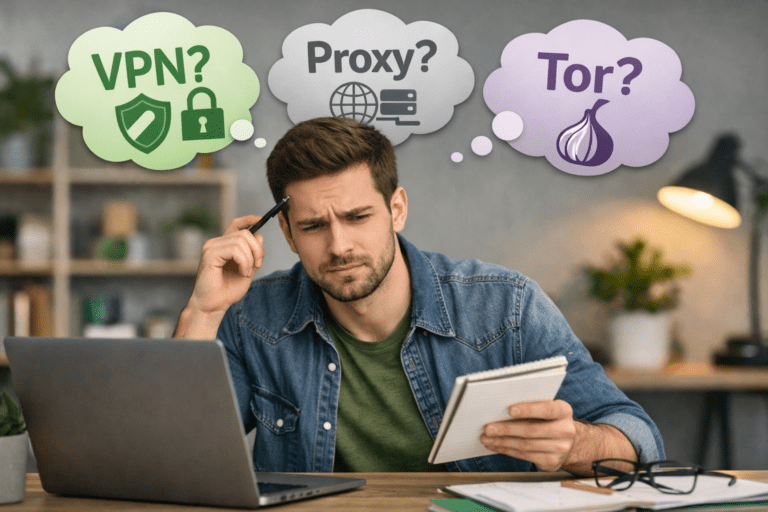
VPNs vs Tor: Privacy Layer vs Anonymity Network
VPNs and Tor are often compared, but they’re designed for different threat models.
A VPN is a single-hop, trust-based system. Your traffic is encrypted and routed through one provider’s server. Tor (The Onion Router) is a multi-hop anonymity network that routes traffic through several volunteer-operated nodes, obscuring both origin and destination.
Here’s how they differ in practice:
| Feature | VPN | Tor |
|---|---|---|
| Primary goal | Privacy & IP masking | Strong anonymity |
| Trust model | Trust the VPN provider | Distributed, no single trusted party |
| Speed & usability | Fast, user-friendly | Slower, more fragile |
| Streaming & logins | Works normally | Often blocked |
| IP stability | Stable or semi-stable | Frequently changing |
| Risk profile | Low–moderate | Higher operational complexity |
Tor provides stronger anonymity properties, but with real tradeoffs:
- Slower speeds
- Frequent site blocking
- Increased friction for everyday use
This is why Tor is generally recommended for high-risk scenarios, while VPNs are better suited for everyday privacy protection.
VPNs vs Proxy Servers
Proxies are often mistaken for VPNs, but they’re far more limited.
Key differences:
- Proxies typically do not encrypt traffic
- Many only work at the browser or app level
- Trust and security controls are often opaque
| Feature | VPN | Proxy |
|---|---|---|
| Traffic encryption | Yes | Often no |
| Device-wide protection | Yes | Usually no |
| ISP visibility | Reduced | Not reduced |
| Security guarantees | Higher | Minimal |
Proxies may hide your IP from a specific website, but they offer little real privacy and virtually no anonymity guarantees.
Using a VPN Alongside Other Privacy Tools
For most users, the strongest setup is layered, not singular.
A VPN can be combined with:
- Privacy-focused browsers
- Tracker and cookie controls
- Encrypted DNS
- Secure messaging apps
This doesn’t create anonymity — but it reduces data leakage across multiple vectors.
Here’s how different tools complement each other:
| Tool | What It Helps With | What It Doesn’t Solve |
|---|---|---|
| VPN | IP masking, ISP privacy | Identity, fingerprinting |
| Private browser | Tracking, fingerprinting | Network visibility |
| DNS encryption | ISP DNS logging | Account tracking |
| Encrypted messaging | Message contents | Metadata exposure |
The key point: no single tool solves everything.
When Combining Tools Helps — and When It Doesn’t
Layering tools improves privacy only if expectations stay realistic.
Helpful scenarios:
- VPN + private browser for everyday browsing
- VPN + tracker controls for reduced profiling
- VPN + encrypted DNS on public Wi-Fi
Unhelpful assumptions:
- “More tools = anonymity”
- “VPN + Tor = invincibility”
- “Technical tools can fix risky behavior”
Operational behavior still matters:
- Logging into personal accounts
- Reusing emails or passwords
- Consistent browser fingerprints
These factors can undo technical protections quickly.
Choosing the Right Tool for the Right Job
A useful way to think about this:
- VPNs → Reduce exposure
- Tor → Obscure identity
- Browsers & controls → Limit tracking
Most people don’t need Tor. Most people do benefit from a VPN — as long as they understand what it realistically provides.
That’s why consumer VPNs focus on:
- Stability
- Usability
- Clear privacy boundaries
—not promises of full anonymity.
Why “Threat Model” Matters More Than Tools
Privacy tools only make sense in context.
A threat model is simply a way of asking:
- Who are you trying to protect your data from?
- What information matters?
- What happens if that information is exposed?
Most people don’t need extreme anonymity. They need reasonable protection against common risks — and this is where VPNs are most effective.
Everyday Privacy Scenarios Where VPNs Help
For typical users, VPNs provide meaningful benefits in several common situations.
Public Wi-Fi and Shared Networks
- Encrypts traffic on unsecured networks
- Reduces risk of passive monitoring
- Limits exposure to malicious hotspots
Reducing ISP Visibility
- Prevents ISPs from building detailed browsing histories
- Limits behavioral profiling tied to home IP addresses
Basic IP Masking
- Hides real location from websites
- Reduces IP-based tracking and targeting
- Adds friction to casual surveillance
In these cases, a VPN is a practical, proportionate tool.
Streaming, Geo-Shifting, and Privacy Side Effects
Many people first use VPNs for streaming access. While this article isn’t focused on streaming, it’s worth noting the privacy implications.
Using a VPN:
- Masks your real IP from streaming platforms
- Routes traffic through shared server infrastructure
- Can reduce direct location-based profiling
However:
- Streaming services rely heavily on account data
- VPNs don’t anonymize viewing behavior tied to your profile
- Access reliability can change over time
This is a reminder that IP masking ≠ identity masking.
Higher-Risk Use Cases: Where VPNs Fall Short
VPNs are often misunderstood as tools for:
- Whistleblowing
- Political activism
- Journalism in hostile environments
In reality, a VPN alone is rarely sufficient for these scenarios.
Limitations include:
- Single-provider trust dependency
- Account and device-level identifiers
- Behavioral and timing correlation
- Jurisdictional exposure
Security researchers consistently caution against relying solely on VPNs for high-risk anonymity needs.
Journalism, Activism, and Sensitive Research
For users operating in sensitive contexts:
- VPNs may reduce casual monitoring
- VPNs may help protect traffic in transit
- VPNs may lower risk on hostile networks
But they do not eliminate:
- Metadata exposure
- Platform-level tracking
- Endpoint compromise risks
This is why professional guidance often recommends multiple layers, careful operational discipline, and sometimes specialized anonymity networks — not consumer VPNs alone.
Behavior Still Matters More Than Technology
Even the best tools can’t compensate for:
- Logging into personal accounts
- Reusing identifiable emails
- Consistent device fingerprints
- Predictable behavior patterns
Privacy failures are often behavioral, not technical.
This reality is echoed across guidance from organizations like:
- Electronic Frontier Foundation (EFF)
- Access Now
- Privacy International
Their recommendations consistently emphasize risk awareness, not blind reliance on tools.
Threat Model Summary Table
| Use Case | Is a VPN Helpful? | Is It Enough Alone? |
|---|---|---|
| Public Wi-Fi | Yes | Yes |
| ISP privacy | Yes | Yes |
| Streaming privacy | Partially | No |
| Advertising tracking | Limited | No |
| Activism/journalism | Limited | No |
| True anonymity | No | No |
Key Takeaway
VPNs are very good at what they’re designed to do:
- Encrypt traffic
- Mask IP addresses
- Reduce exposure to common risks
They are not designed to:
- Guarantee anonymity
- Eliminate all tracking
- Protect against sophisticated adversaries
Understanding that difference helps users deploy VPNs effectively, rather than dangerously overestimating their protection.
Common Myths About VPN Anonymity
Misunderstandings about VPNs tend to come from oversimplified marketing or outdated advice. Clearing these up is essential for setting realistic expectations.
Myth 1: “A VPN makes me invisible online”
A VPN hides your IP address, not your identity. Websites can still identify you through logins, cookies, and browser fingerprints.
Myth 2: “Law enforcement can’t track VPN users”
VPNs are not immunity tools. Investigations often rely on account data, payment records, device identifiers, and platform cooperation — not just IP addresses.
Myth 3: “All VPNs provide the same privacy”
VPNs vary widely in:
- Logging practices
- Transparency
- Jurisdiction
- Independent verification
These differences matter far more than marketing slogans.
Myth 4: “No-logs means no data exists anywhere”
Even if a VPN keeps no activity logs, data may still exist:
- On websites you use
- In browser storage
- With third-party platforms
- Through correlation of metadata
How to Maximize Privacy (Without Claiming Full Anonymity)
A VPN works best as part of a broader privacy posture, not as a standalone solution.
Practical steps that actually help:
- Use a reputable VPN with clear, audited policies
- Limit unnecessary logins when browsing casually
- Separate browsers or profiles for different activities
- Regularly clear cookies or use built-in tracking protections
- Keep devices updated and malware-free
For everyday users, this approach meaningfully reduces exposure without relying on unrealistic assumptions.
The Bottom Line: Do VPNs Make You Anonymous?
No — VPNs do not make you anonymous.
They:
- Reduce exposure
- Encrypt traffic
- Mask IP addresses
- Limit ISP visibility
They do not:
- Erase your identity
- Prevent account-based tracking
- Eliminate browser fingerprinting
- Guarantee protection in high-risk scenarios
When used correctly, VPNs are valuable privacy tools. When misunderstood, they can create a false sense of security.
The safest approach is informed use — not blind trust.
FAQs: Do VPNs Make You Anonymous?
Do VPNs make you completely anonymous online?
No. VPNs improve privacy but do not eliminate all forms of identification or tracking.
Can websites still identify me if I use a VPN?
Yes. Logins, cookies, and browser fingerprints can still identify users regardless of IP address.
Can a VPN provider see what I do online?
This depends on the provider’s logging practices, technical design, and transparency. Users must ultimately place some level of trust in the provider.
Are VPNs legal to use?
In most countries, yes — though regulations and enforcement vary by region.
Is a VPN enough for journalists or activists?
Usually not. Higher-risk use cases typically require multiple tools, careful operational practices, and professional guidance.
Is Tor better than a VPN for anonymity?
Tor provides stronger anonymity properties but comes with significant tradeoffs in speed, usability, and site compatibility.
Sources & Additional Reading
Privacy, Anonymity, and VPN Fundamentals
Electronic Frontier Foundation (EFF)
- Online Privacy & VPN Context
https://www.eff.org/issues/online-privacy - Surveillance Self-Defense (Threat Modeling & Tool Limits)
https://ssd.eff.org
Mozilla (Privacy & Tracking Research)
- Mozilla Privacy Principles
https://www.mozilla.org/privacy/ - Browser Fingerprinting Protection Explained
https://support.mozilla.org/en-US/kb/firefox-protection-against-fingerprinting
Browser Fingerprinting & Tracking
EFF – Panopticlick Project
- Browser fingerprinting research and demonstrations
https://panopticlick.eff.org
Mozilla Blog – Fingerprinting
- How fingerprinting works and why IP masking isn’t enough
https://blog.mozilla.org/en/products/firefox/firefox-fingerprinting-protection/
VPN Logging, Trust, and Transparency
Privacy International
- VPNs, privacy claims, logging, and jurisdiction analysis
https://privacyinternational.org/long-read/4685/vpns-privacy-and-security
VPN Provider Transparency
NordVPN
- No-logs audit overview
https://nordvpn.com/blog/no-logs-audit/ - Trust & transparency center
https://nordvpn.com/trust/
Proton VPN
- Privacy policy
https://protonvpn.com/privacy-policy - Open-source and security disclosures
https://protonvpn.com/blog/open-source/
IPVanish
- Privacy policy and logging disclosures
https://www.ipvanish.com/privacy-policy/
Tor vs VPN (Anonymity Comparisons)
Tor Project
- Tor vs VPN: differences in anonymity and threat models
https://support.torproject.org/faq/faq-5/
Metadata, Surveillance, and Risk Modeling
EFF – Metadata Matters
- Why metadata can still identify users
https://www.eff.org/deeplinks/2013/06/why-metadata-matters
Access Now
- Digital security guides for journalists and activists
https://www.accessnow.org/guides/