Affiliate Disclosure: VPNexp.com is reader-supported. We may earn a commission if you purchase a VPN through links on our site. This does not affect our rankings or recommendations.
VPN Privacy & Security: The Short Version
Short version: A good VPN can hide your activity from your ISP, protect you on sketchy Wi-Fi, and cut down tracking — but it’s not a magic invisibility cloak. This guide shows you what a VPN really does for your privacy in 2026, where it falls short, and which providers actually walk the talk on “no logs.”
- What your ISP can and can’t see with a VPN
- How “no-logs” policies really work (and how to verify them)
- Why you’re still tracked even with a VPN — and how to fix it
- Which VPNs we’d actually trust with our data in 2026
Bottom line: If you care about privacy, you don’t just need “a VPN.” You need the right VPN, with the right settings, used in the right way. Let’s walk through it step by step.

Table of Contents
- What a VPN Really Protects (and What It Doesn’t)
- What Your ISP Can See — With and Without a VPN
- What Websites & Apps Still See With a VPN
- VPN Logs & “No-Logs” Policies Explained
- How Tracking Still Happens (Beyond Your IP Address)
- Encryption Basics: How VPNs Secure Your Traffic
- VPNs on Public Wi-Fi: Real-World Safety Scenarios
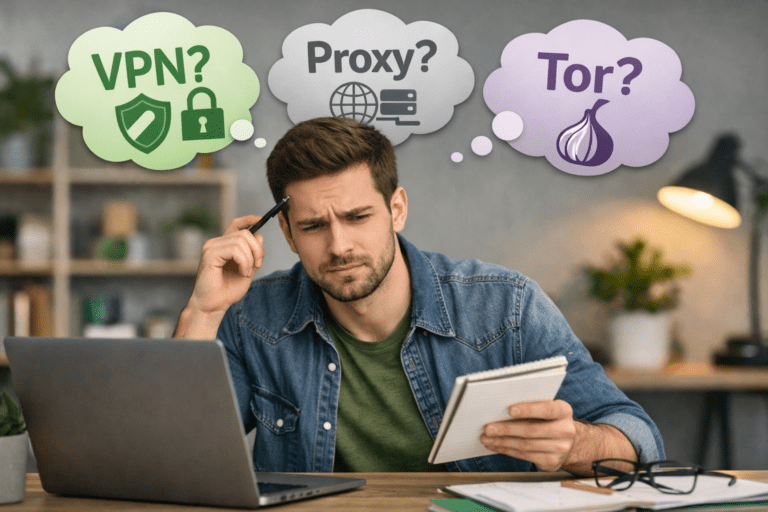
- VPN vs Proxy vs Tor (And When to Use Each)
- Best Privacy-First VPNs in 2026 (Real-World Picks)
- Configuration Checklist: How to Use a VPN Safely
- FAQ: Common VPN Privacy Questions
- Bottom Line: How Private Are You With a VPN?
What a VPN Really Protects (and What It Doesn’t)
Let’s start with the core promise: when you turn on a VPN, your traffic is encrypted and routed through a remote server. That means anyone in the middle — your ISP, hotel Wi-Fi, airport hotspot, or nosey landlord running the router — can’t see what you’re actually doing online.
In practice, a VPN does three big things for your privacy:
- Hides your traffic contents from your ISP and local network. They can see you’re using a VPN, but not which sites you visit or what you type.
- Replaces your real IP with the VPN server’s IP. To websites, you look like you’re coming from the VPN server’s location, not your home or mobile IP.
- Secures your connection on risky networks. Attackers can’t easily intercept or tamper with your data on public Wi-Fi when the tunnel is correctly configured.
Here’s what a VPN doesn’t do — and this is where a lot of people get tripped up:
- It doesn’t stop websites you’re logged into from knowing it’s you.
- It doesn’t override cookies, tracking pixels, or fingerprinting scripts in your browser.
- It doesn’t prevent you from handing data to a phishing site or scam app.
- It doesn’t delete the data big platforms already have about you.
Quick verdict: A VPN is a powerful transport layer privacy tool. It protects your connection in transit, but not everything you do at the destination.

What Your ISP Can See — With and Without a VPN
One of the biggest reasons people install a VPN is to stop their internet provider from building a creepy profile of everything they do online. Without a VPN, your ISP has a front-row seat to your traffic. With a VPN, that view shrinks dramatically.
Without a VPN
On a typical home or mobile connection with no VPN, your ISP can often see:
- Every domain you visit (e.g.,
example.com) - When you connect and how much data you transfer
- Your device’s IP and the exact line or account it’s tied to
- Unencrypted content on sites that don’t use HTTPS (thankfully rare these days)
In some countries, ISPs are even required to log and store this activity for a period of time. In others, they simply monetize it for analytics and advertising partnerships.
With a VPN Enabled
When your VPN is on and working correctly, your ISP’s view changes. They can see:
- That you’re connected to a VPN server
- The VPN server’s IP address
- How much total data you’re sending and receiving
They cannot see:
- Which websites you visit
- Which pages you load on those websites
- Search terms or form data
- The content of messages or files you send (assuming the VPN and apps are using encryption correctly)
| Data Type | Without VPN | With VPN | Privacy Winner |
|---|---|---|---|
| Domains you visit | Visible to ISP | Hidden from ISP | VPN On |
| Exact pages & URLs | Often visible | Hidden | VPN On |
| Apps & services | Often identifiable | Obscured behind VPN tunnel | VPN On |
| That you’re online | Visible | Visible | Draw |
| That you’re using a VPN | N/A | Visible | Draw (privacy about activity still wins) |
Winner: For ISP privacy, it’s not close. If you don’t want your provider building a long-term dossier of your browsing habits, using a reputable VPN is a huge upgrade.
What Websites & Apps Still See With a VPN
A VPN can hide your IP address from websites, but it can’t make Netflix forget which profile you’re using or stop Google from recognizing your account. Once you log in, the site knows it’s you — VPN or not.
With a VPN turned on, websites and apps can still see:
- Your account identity when you sign in
- Cookies and tracking pixels that were already stored in your browser
- Browser fingerprint details (fonts, extensions, screen size, language, hardware quirks)
- Behavioral patterns like how you scroll, where you click, and how long you stay
So while the VPN masks where the traffic is coming from, most big platforms don’t need your IP to know it’s you. They already have a rich profile from logins, devices, and history.
Think of a VPN as a privacy filter between you and the network — not between you and the apps you choose to trust.
If you want to dial this down further, the trick is to combine VPN use with smart browser hygiene: separate profiles, stricter cookie settings, and fewer always-logged-in tabs following you around the web.

VPN Logs & “No-Logs” Policies Explained
The next big privacy question is: “If I move my traffic from my ISP to a VPN, am I just handing everything to the VPN company instead?” Fair question — and it’s exactly why logs matter.
The Three Main Types of VPN Logs
| Log Type | What It Includes | Should a Privacy-First VPN Keep It? |
|---|---|---|
| Usage Logs | Websites you visit, pages you open, files you download, content of traffic. | No. This is the kind of logging privacy-focused providers explicitly avoid. |
| Connection Logs | When you connect, which server, how much data you transfer. | Minimal only. Some providers keep short-term aggregated data for troubleshooting & abuse prevention. |
| Operational Logs | Crash reports, performance metrics, anonymized diagnostics. | Optional. Acceptable if it’s anonymized and you can opt out. |
What “No-Logs” Should Actually Mean in 2026
A trustworthy “no-logs” VPN in 2026 should:
- Not store browsing history, DNS requests, or traffic content.
- Not store your real IP address alongside your VPN sessions.
- Minimize connection metadata and delete it quickly or aggregate it.
- Be able to prove these claims via independent audits.
The strongest providers now back their marketing with:
- Independent third-party audits of infrastructure and policies.
- RAM-only server fleets designed not to keep data at rest.
- Regular transparency reports about any legal requests.
- Clear technical documentation of what they do not log.
Our rule of thumb: If a VPN can’t point to at least one independent audit of its “no-logs” claims, we don’t treat it as a serious privacy contender.
How Tracking Still Happens (Beyond Your IP Address)
Turning on a VPN cuts out one major tracking signal — your IP address — but advertisers and analytics companies have a whole toolbox of other tricks. Understanding those helps you decide what to fix next.
Common Tracking Mechanisms That Still Work With a VPN
- Cookies & session tokens: Keep you logged in and identify you across visits unless you clear or block them.
- Browser fingerprinting: Uses your device’s unique combination of fonts, extensions, screen size, and settings to re-identify you.
- App-level analytics: Mobile apps often send rich telemetry directly to their servers, bypassing your browser entirely.
- Account logins: As soon as you sign into a major platform, your activity is tied directly to your profile.
- Operating system telemetry: Windows, macOS, iOS, and Android may collect diagnostics and usage data by default.
How to Stack Privacy on Top of Your VPN
You don’t need to live off the grid to improve things. A few realistic tweaks go a long way:
- Use a privacy-focused browser (or at least a separate profile) for sensitive research and price shopping.
- Block third-party cookies and cross-site tracking in your browser settings.
- Install a reputable tracker-blocking extension instead of dozens of random add-ons.
- Avoid staying permanently logged into everything on every tab.
- Consider using different browsers or profiles for work, personal, and “needs extra privacy” tasks.
Stacking effect: A VPN + sane browser settings + fewer logins = a dramatically smaller trail than any one of those alone.

Encryption Basics: How VPNs Secure Your Traffic
Under the hood, VPNs rely on strong, battle-tested cryptography. In 2026, the big names are WireGuard, OpenVPN, and IKEv2/IPsec. You don’t have to become a cryptographer, but understanding the basics helps you pick better settings.
When your VPN is active, your data is:
- Encrypted on your device using a secure protocol.
- Sent through an encrypted tunnel to the VPN server.
- Decrypted at the VPN server and forwarded to the destination site or app.
- Returned through the tunnel the same way in reverse.
This protects you from local eavesdropping: coffee shop snoopers, compromised routers, or malicious hotspots can see that something is happening, but not what.
What VPN Encryption Doesn’t Cover
It’s just as important to be clear about what encryption doesn’t cover:
- It doesn’t stop you from entering your password into a fake site.
- It doesn’t neutralize malware or keyloggers installed on your device.
- It doesn’t override permissions you gave to apps to access your contacts, camera, or location.
- It doesn’t erase server-side logs kept by the websites you choose to use.
Think of your VPN as armored delivery for your data. It keeps your information safe in transit — but once you hand it to a website or app, their rules and safeguards take over.
VPNs on Public Wi-Fi: Real-World Safety Scenarios
Public and semi-public Wi-Fi is where a VPN shifts from “nice to have” to “please turn this on right now.” Airports, hotels, conferences, dorms, coworking spaces — they all share the same weak point: lots of strangers on the same network.
Threats a VPN Helps Defend Against
- Packet sniffing: Attackers capturing unencrypted traffic on open Wi-Fi.
- Session hijacking: Stealing cookies or tokens to impersonate your logins.
- Evil twin hotspots: Fake networks mimicking hotel or cafe Wi-Fi names.
- Over-curious admins: Network owners peeking into what guests are doing.
With a VPN, your traffic on those networks is encrypted end-to-end between your device and the VPN server, which makes nearly all of those attacks dramatically harder.
Public Wi-Fi Best Practices (Even With a VPN)
- Turn on your VPN before opening your browser or apps.
- Double-check the network name with staff if you’re unsure it’s legit.
- Avoid logging into banking or highly sensitive accounts on completely unknown networks if you can.
- Use multi-factor authentication so a stolen password alone isn’t enough.
VPN vs Proxy vs Tor (And When to Use Each)
VPNs aren’t the only way to reroute your connection. Proxies and Tor also change how your traffic reaches the internet — but they come with very different trade-offs.
| Tool | How It Works | Pros | Cons | Best Use Case | Winner (Everyday Privacy) |
|---|---|---|---|---|---|
| VPN | Encrypts all device traffic and routes it through a VPN server. | Strong encryption, whole-device protection, good speed, works with most apps. | Requires a trustworthy provider, small subscription cost. | General privacy, streaming, public Wi-Fi, travel. | 🏆 Overall Winner |
| Proxy | Routes specific app or browser traffic via a remote server, often without encryption. | Lightweight, sometimes free, good for simple location switching. | No real security, often logs, limited app coverage. | Quick access to region-locked websites when security isn’t a concern. | ❌ Not ideal for privacy |
| Tor | Routes traffic through multiple volunteer-run relays with layered encryption. | Very strong anonymity when used correctly. | Slower speeds, some sites block Tor, learning curve. | High-risk research, journalism, activism in hostile environments. | 🎯 Best for specialized anonymity |
Everyday winner: For 99% of people, a good VPN is the sweet spot between privacy, performance, and usability. Proxies are too weak. Tor is fantastic but overkill for routine use.
Best Privacy-First VPNs in 2026 (Real-World Picks)
If you’ve made it this far, you understand the moving parts: ISP visibility, logs, tracking, encryption, and risk scenarios. The last question is simple: Which VPNs actually deserve to handle your traffic?
Here’s how we think about it commercially: you want a service that is fast enough to leave on all the time, strict enough about privacy that you could defend it in an argument with a security-nerd friend, and easy enough that your less-techy family members will actually use it.
| VPN | Best For | Privacy & Logs | Speed & Streaming | Ease of Use | Our Verdict |
|---|---|---|---|---|---|
| NordVPN | All-around users who want strong privacy plus great streaming. | Audited no-logs, security-focused feature set, RAM-only infrastructure. | Excellent speeds, works reliably with major streaming platforms. | Clean apps, auto-connect, good for non-experts. | 🏆 Best Overall Privacy + Performance |
| Surfshark | Value-seekers and households with lots of devices. | No-logs, independent audits, unlimited simultaneous connections. | Very good speeds for the price, solid streaming support. | Simple apps, great for families sharing a subscription. | 💰 Best Value Privacy VPN |
| ExpressVPN | Travelers and users who want a polished, set-and-forget app. | Long track record, no-logs audits, privacy-friendly jurisdiction. | Competitive speeds, very consistent unblocking. | One of the most user-friendly interfaces in the space. | ✨ Best for Frequent Travelers |

Configuration Checklist: How to Use a VPN Safely
You’ve picked a provider. Now the privacy gains come down to how you actually use it day-to-day. Here’s a practical checklist you can run through in about 10 minutes.
1. Turn On Auto-Connect Where It Matters
Set your VPN apps to auto-connect on device startup or at least on untrusted networks. That way you’re not relying on memory every time you open a laptop in a cafe.
2. Use Modern Protocols (WireGuard or OpenVPN)
In your VPN settings, pick a modern protocol like WireGuard or a trusted implementation of OpenVPN. These tend to offer the best balance of speed, stability, and security in 2026.
3. Enable the Kill Switch
A kill switch blocks internet access if the VPN connection drops, preventing your traffic from silently falling back to an unprotected connection. Turn it on once and forget about it.
4. Lock Down DNS Leaks
Make sure your VPN is handling DNS requests so they’re not leaking to your ISP. Most modern apps do this automatically, but you can double-check in the settings or with a quick “DNS leak test” search while the VPN is on.
5. Pair It With Solid Account Security
- Turn on multi-factor authentication for email, banking, and password managers.
- Use a password manager instead of recycling weak passwords.
- Be skeptical of links and attachments, even when the VPN is on — phishing still works.
6. Clean Up Your Browser’s Tracking Trail
- Clear third-party cookies and limit new ones going forward.
- Install one reputable tracker-blocker instead of ten overlapping ones.
- Use separate browser profiles for “everything logged in” vs “I want this search to be private.”
FAQ: Common VPN Privacy Questions
Does a VPN make me completely anonymous?
No. A VPN hides your IP from websites and your activity from your ISP, but you’re still identifiable through accounts you log into, cookies, fingerprinting, and behavior. It’s a strong privacy tool, not an invisibility superpower.
Can my ISP tell I’m using a VPN?
Yes. Your ISP can see that you’re sending encrypted traffic to a VPN server. They just can’t see what’s inside that traffic or which websites you visit on the other side.
Can police or governments see my activity if I use a VPN?
In many cases, authorities would have to go through the VPN provider, not your ISP. That’s why provider choice and logging policies matter so much. A well-designed, audited no-logs VPN has very little useful data to hand over. A shady free VPN might have everything.
Are free VPNs safe for privacy?
Most free VPNs make money somehow — and that “somehow” is often data harvesting, aggressive ads, or selling bandwidth. There are rare exceptions, but as a rule of thumb: if your privacy is valuable enough to use a VPN, it’s worth paying for a trustworthy one.
Should I leave my VPN on all the time?
For most people, yes. If you’ve chosen a reputable provider and your speeds are good, leaving the VPN on simplifies things: your traffic is just always going through the encrypted tunnel, whether you’re at home, at work, or traveling.
Bottom Line: How Private Are You With a VPN?
Used well, a VPN is one of the biggest privacy upgrades you can make in a single app install. It cuts your ISP out of your browsing history, makes public Wi-Fi far less scary, and puts a serious dent in how easily your activity can be tied to your home IP.
But it works best as part of a broader setup:
- A reputable, audited no-logs VPN (not a random free app).
- Reasonably locked-down browser settings and fewer always-logged-in tabs.
- Basic account security like MFA and a password manager.
If you put those pieces together, you’ll be miles ahead of the average user in terms of privacy — without needing to live like a hacker in a movie.